![[Previous]](../graphics/prev.gif)
![[Contents]](../graphics/contents.gif)
![[Index]](../graphics/keyword_index.gif)
![[Next]](../graphics/next.gif)
|
|
|
|
The File Menu is for maintaining files. It includes the following:
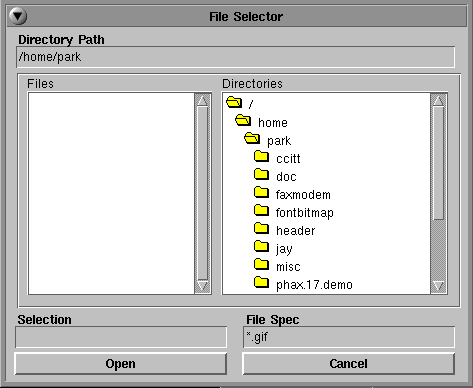
Open lets you open tiff, bmp, gif, or ASCII files.
When the file does not have a tiff, bmp, or gif suffix, softFax assumes that the file is an ASCII file and brings up a dialog box to allow the choice of font and line spacing.
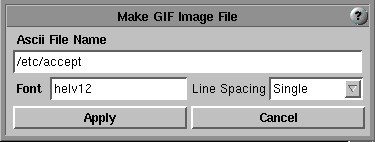
You can bring up the font change dialog by clicking the font text box. There are three ways to open existing files:
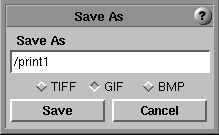
You can save the current open file under a different name and/or a different image file format, either tiff (TIFF version 6.0 F format), bmp, or gif.
If the open file is an ASCII file, File Save shows an error message and brings up the Save As dialog.
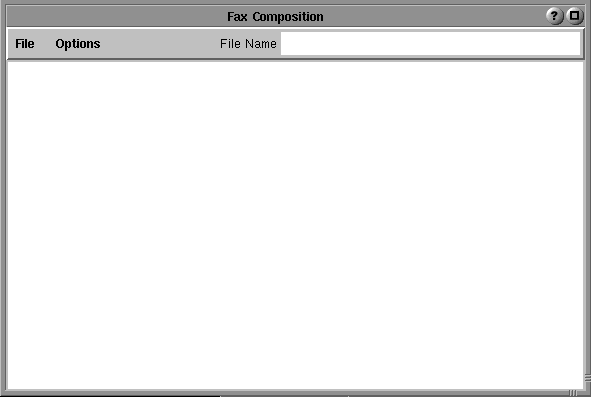
You can create a simple fax using softFax. You can change the font by selecting font in the option menu; of course, if you have already begun entering text you must select the text you wish to change first. This fax can be saved as a text file as well as an image file.
These simple clipboard editing fuctions are available:
You can also use the right mouse button to bring up the menu that contains 'Copy', 'Paste', 'Font', and 'Insert page break'.
The file opened or saved here is not a plain ASCII text file. In addition to the entered text, it includes the attributes of each section.
If you want to save a multiple page fax as an image file, save the fax as a tiff file. This must be done by the SaveAs function. Otherwise, you will only save the first page as a gif file.
Close the current open file. You are given a chance to save any changes that have not been saved.
There are four different options for deleting: delete the current open file, delete selected item, delete tagged items, and delete the current page.
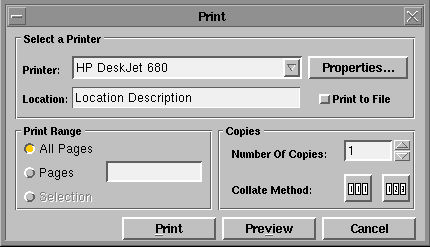
Print the current open file. In order to print, you must implement print spooling. Check Printing Support and Print Spooling for details.
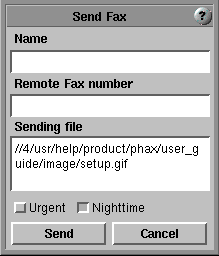
Send a fax to a remote fax machine or fax modem. You can send bmp, gif, ASCII, and text files as well as tiff files. If you want to send several files at one time, put blanks between the file names. Indicate whether or not the fax is urgent.
ASCII files or text files from Compose Fax can't be sent directly by typing the name in the sending file window. You should first open the file, then send the open image. The direct sending of ASCII or text files is not yet implemeted.
softFax makes two different types of temporary files in order to send a fax. One has '.jhp' suffix for lpsrvr and the other has '.Ttif' suffix for a file that is not a tiff file or a tiff file that is not a standard width. softFax will clean up after finishing the send. Don't delete those files.
|
|
|
|