![[Previous]](../graphics/prev.gif)
![[Contents]](../graphics/contents.gif)
![[Index]](../graphics/keyword_index.gif)
![[Next]](../graphics/next.gif)
|
|
|
|
Use the Options Menu for making setup files and setting preferences. It includes the following:
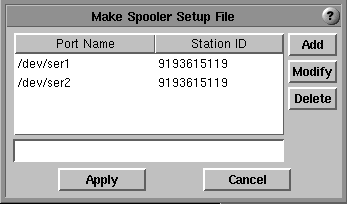
This screen lets you enter and maintain the serial ports with station IDs that are available for softFax to use. The station ID appears in the header part of a fax. After clicking the Apply button to finish, the entries are stored into the /etc/config/lpsrvr.softFax file in the required format for the lpsrvr setup file.
Sending and printing are two basic functions of softFax that use the QNX lpsrvr program. For printing, you can use the released lpsrvr.photon setup file with updates needed to fit your system. For sending, softFax makes lpsrvr.softFax for you. However, only one setup file at a time can be active. You should combine all needed setup files into one and then run lpsrvr again or reboot system.
The demo version does not use lpsrvr.
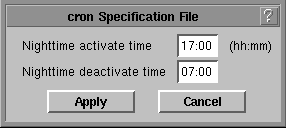
lpsrvr for softFax has two queues, one for urgent requests and the
other (nighttime) for requests that can be delayed. The urgent queue is for
sending a fax whenever the device becomes available, and the nighttime queue is
for sending a fax in a certain time period. You need
cron and crontab to pause
and resume the nighttime queue. This menu makes a cron specification file for
crontab. After clicking the Apply button to make the file, run
cron and crontab and put the following in the sysinit file:
cron & crontab /etc/config/cron.softFax &Preferences
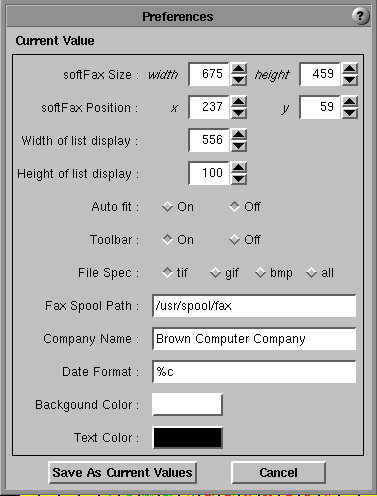
Preferences allows you to customize your environment.
|
|
|
|